Physical Address
304 North Cardinal St.
Dorchester Center, MA 02124
Physical Address
304 North Cardinal St.
Dorchester Center, MA 02124

Keep reading to uncover if Family Tree Maker's standout features can justify its price despite reports of technical issues.
If you’ve been researching Family Tree Maker in 2026, you’re likely wondering whether this genealogy software justifies the investment. With over three decades of development history and a recent major update (FTM 2024), Family Tree Maker positions itself as the premium desktop solution for serious family historians. The software promises comprehensive tree-building tools, seamless integration with major genealogy platforms, and advanced features like the new Turn Back Time 5000 undo system.
But the decision isn’t straightforward. Long-time users report ongoing concerns about data synchronization, customer support responsiveness, and whether the desktop software model remains relevant in an era of free online alternatives. This review examines Family Tree Maker 2024’s capabilities, real-world performance, and value proposition to help you determine if it’s the right choice for your genealogy journey.
Family Tree Maker has evolved significantly since its origins in 1989, passing through multiple publishers before landing with Software MacKiev. The 2024 release represents the most substantial update in years, introducing features designed specifically for modern researchers who need collaboration tools, enhanced mobile access, and robust data protection. Whether you’re building your first tree or managing thousands of ancestors, understanding what FTM 2024 offers—and where it falls short—is essential before committing your research (and your budget) to this platform.
Family Tree Maker 2024 is the latest version of the long-running desktop genealogy software developed by Software MacKiev. Unlike online platforms that store your data in the cloud, FTM 2024 is a standalone application that runs locally on your computer, giving you complete control over your family history database. This offline approach appeals to privacy-conscious researchers and those who prefer not to rely on internet connectivity for their work.
The software maintains compatibility with both Windows (10/11, 64-bit) and macOS (Big Sur 11.0 through Sequoia 15.0), making it accessible to most modern computer users. One-time purchase options range from $79.95 for digital download to $99.95 for USB delivery, positioning FTM 2024 as a premium investment compared to subscription-based alternatives or free online builders.
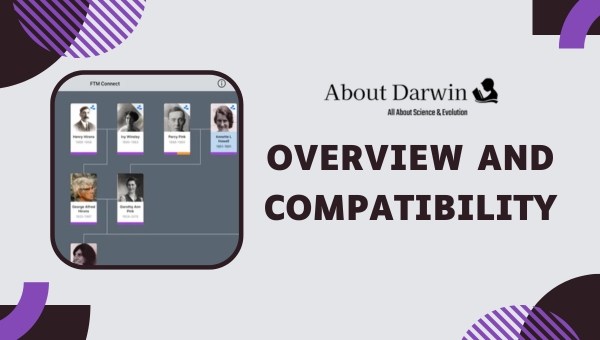
What distinguishes FTM 2024 from its predecessors is the introduction of several major feature updates designed for contemporary genealogy workflows. The Connect Workspace enables real-time collaboration with relatives, FTM Connect 2.0 provides enhanced mobile access with Guest Access capabilities, and the Turn Back Time 5000 system offers unprecedented undo functionality—critical for recovering from accidental data changes. These updates address long-standing user requests while maintaining the core functionality that made Family Tree Maker a staple in the genealogy community.
Software MacKiev has also emphasized accessibility improvements in the 2024 release, including the Easy on the Eyes feature that reduces eye strain during extended research sessions. For researchers working with historical photographs and documents, the updated Photo Darkroom tools and the forthcoming AlbumWALK integration (talking photo technology) represent significant enhancements to media management capabilities.
Family Tree Maker 2024 includes an extensive feature set designed to support comprehensive family history research and documentation. The software combines traditional genealogy tools with modern collaboration and visualization capabilities.
The May 2026 release of Family Tree Maker 2024 introduced substantial improvements over previous versions, addressing many long-standing user requests while adding capabilities for modern research workflows. The most significant enhancement is undoubtedly the Turn Back Time 5000 system, which expands the undo history from 1,000 to 5,000 actions—providing researchers with unprecedented freedom to experiment with their data without fear of permanent mistakes.
Collaboration receives a major upgrade through Connect Workspace, which transforms FTM from a solitary research tool into a family history platform. Unlike previous versions that required manual file sharing or third-party services, Connect Workspace enables real-time collaboration with specified relatives. You control access levels, determining who can view, edit, or suggest changes—making it ideal for crowdsourcing family information while maintaining data integrity.
Mobile access has been completely redesigned with FTM Connect 2.0. The previous iteration was criticized for limited functionality and poor media display, but the 2024 version introduces Guest Access—a feature that lets you share specific branches of your tree with relatives who don’t own the software. This solves a common problem for genealogists who want to share findings with family members without requiring them to purchase FTM or navigate complex file transfers.
The Easy on the Eyes accessibility feature addresses a physical concern voiced by many long-term users. Genealogy research often involves hours of continuous screen time, and FTM 2024 now includes display mode options that reduce blue light exposure, improve contrast for readability, and minimize eye fatigue. While not a research feature per se, this enhancement demonstrates Software MacKiev’s attention to user experience beyond pure functionality.
Perhaps the most innovative addition is the forthcoming AlbumWALK integration, which will enable “talking photos”—images that play recorded audio narratives when viewed. This feature, currently in rollout, represents FTM’s move toward multimedia family history preservation, allowing researchers to attach voice recordings to photographs and documents. Imagine hearing a grandparent describe a family photo in their own words—AlbumWALK makes this possible within the FTM ecosystem.
Family Tree Maker 2024’s integration capabilities remain one of its strongest selling points, particularly for researchers who utilize online genealogy platforms. The software maintains direct connections to both Ancestry.com and FamilySearch—the two largest online genealogy databases—allowing you to search records, merge hints, and synchronize data without leaving the FTM interface.
The Ancestry integration uses TreeSync technology to keep your desktop tree and online Ancestry tree synchronized. When you find a record on Ancestry, FTM can automatically download and attach it to the relevant person in your database. Conversely, changes made in FTM can be uploaded to your Ancestry tree. This two-way synchronization eliminates the need for manual data entry and reduces the risk of discrepancies between your desktop research and online presence.
For FamilySearch users, FTM 2024 provides access to the FamilySearch tree and record collections directly from the software interface. This integration is particularly valuable for accessing free records and leveraging the collaborative nature of FamilySearch’s shared family tree. However, users should note that the synchronization logic differs from Ancestry, and care should be taken when merging data to avoid introducing errors from the shared tree.
These integrations require active subscriptions to the respective platforms (Ancestry subscription varies by tier; FamilySearch is free). The cost of maintaining an Ancestry subscription alongside FTM should be factored into your budget, as FTM’s integration features lose much of their value without access to these online databases. For researchers focused on offline work or those who prefer free record sources, the integration capabilities may be less compelling.
One of Family Tree Maker’s historical strengths has been its extensive charting and reporting capabilities, and FTM 2024 maintains this tradition. The software offers over 25 different chart types and report formats, from standard pedigree charts to specialized visualizations like bowtie charts (displaying both paternal and maternal ancestors) and fan charts (radial ancestor displays). These tools are invaluable for analyzing family patterns and creating presentations for family reunions or publications.
Report generation includes descendant reports, family group sheets, timeline reports, and custom reports that can be filtered by specific criteria. Researchers focused on particular family lines or geographic locations can create targeted reports that extract relevant information from larger databases. The reporting engine also supports citation management, a critical feature for serious genealogists who need to document sources for each piece of information.

Media organization in FTM 2024 goes beyond simple photo attachment. The software supports multiple media types including photographs, audio recordings, video files, and document scans. The Photo Darkroom tools allow you to restore and enhance aged photographs directly within FTM, adjusting brightness, contrast, and sharpness to bring out details in faded images. For researchers working with historical documents, these editing capabilities reduce the need for external photo editing software.
The media workspace includes a face detection feature that automatically identifies potential profile pictures in uploaded images, simplifying the process of adding photos to individual person records. Slideshow creation tools let you assemble media presentations with background music and transitions—ideal for family gatherings or digital storytelling projects. With the upcoming AlbumWALK integration, these media capabilities will expand to include audio narratives attached to specific images, creating immersive family history experiences.
TreeVault Cloud Services represents Software MacKiev’s solution for data backup and continuity planning. While FTM 2024 is a desktop application that stores data locally, TreeVault provides cloud-based backup with additional features designed to protect your research investment. The service offers a three-month free trial, after which it costs $1.99 per month—a relatively modest expense considering the value of your accumulated research.
The core TreeVault feature is automated backup, which continuously uploads changes to your tree to secure cloud storage. Unlike manual backups that require user initiation and can be forgotten, TreeVault runs in the background, ensuring that every change is preserved. If your computer fails or is stolen, your tree can be restored to a new device without data loss—addressing one of the primary concerns with desktop-based genealogy software.
Two additional TreeVault features provide continuity beyond technical failures. The Emergency Tree service creates a standalone copy of your research that can be accessed by designated contacts if you become unable to manage your genealogy work. This is particularly valuable for researchers dealing with health issues or those who want to ensure their family history survives them. The Next of Kin feature allows you to designate who inherits access to your research, providing a formal mechanism for passing your genealogy legacy to future generations.
While TreeVault adds recurring cost to what is otherwise a one-time purchase software, the peace of mind it provides may justify the expense for researchers with extensive trees. For casual users or those with smaller databases, manual backup strategies (USB drives, external hard drives, cloud storage services) might suffice. However, serious genealogists with years of accumulated research should consider TreeVault insurance against catastrophic data loss.
Family Tree Maker 2024 offers multiple purchase options to accommodate different preferences and budgets. The standard digital download costs $79.95 for a single-computer license, providing immediate access after purchase. For users who prefer physical media or have unreliable internet connections, a DVD version is available for $89.95, and a USB drive version costs $99.95—both include a $5.95 delivery fee. These prices position FTM 2024 as a premium option compared to free online alternatives but competitive among desktop genealogy software.
Existing users upgrading from previous versions can access discounted pricing. Upgrade licenses typically cost $59.95, though promotional pricing of $49.95 is occasionally available. The upgrade path preserves your existing tree data while adding the new FTM 2024 features. For families or research groups, the Family Pack option allows installation on multiple computers for an additional $20—worthwhile if you plan to use FTM on multiple devices or want to share within a household.
It’s important to note that FTM 2024 does not offer a free trial or refund policy. This no-risk-free approach means you must commit to the purchase based on reviews and demonstrations rather than hands-on testing. For such a significant investment, the lack of a trial option is a notable disadvantage, particularly for researchers who are unsure whether desktop software suits their workflow.
Beyond the initial purchase, potential ongoing costs include TreeVault Cloud Services ($1.99/month after the three-month trial) and, if you utilize the integrations, an Ancestry subscription. FamilySearch integration remains free. The total cost of ownership over several years can exceed $200 if you subscribe to all optional services—substantially more than free alternatives but potentially reasonable for dedicated researchers who value the advanced features and offline capabilities.
The Turn Back Time 5000 undo system is genuinely transformative for genealogy work. Being able to reverse up to 5,000 actions means you can experiment with complex changes, bulk edits, or major reorganizations without anxiety about permanent mistakes. This feature alone may justify upgrading from previous versions for researchers who work with large, complex trees.
Chart creation and report generation remain FTM’s strength. The variety and customization options exceed what most online platforms offer, making FTM ideal for researchers who need to produce professional-quality visualizations or detailed reports. The ability to generate PDF charts suitable for framing or create comprehensive reports for publication streamlines the process of sharing family history with relatives or submitting to genealogical societies.
Offline capability appeals strongly to privacy-conscious researchers. Unlike online platforms that store your data on third-party servers, FTM keeps your database local on your computer. You control the data, you control the backups, and you determine who has access. For researchers concerned about corporate data policies or who work in areas with unreliable internet, this local-first approach provides significant peace of mind.
The integration with Ancestry and FamilySearch works well when functioning correctly. The ability to search records, merge hints, and synchronize trees without switching between applications creates an efficient workflow for researchers who utilize these platforms. Automatic record attachment saves time compared to manual downloads and data entry, reducing the risk of transcription errors.
Connect Workspace and FTM Connect 2.0 address the collaboration gap that existed in previous versions. Being able to work with relatives in real-time and share specific branches via Guest Access transforms FTM from a solitary tool into a platform for family history projects. This is particularly valuable for crowdsourcing information from multiple family members or for genealogists who want to share findings without giving away full editing control.
Customer support remains a consistent pain point for Family Tree Maker users. The knowledge base often lacks depth for troubleshooting specific issues, and both live chat and email support have been criticized for slow response times—sometimes extending over four days for urgent problems. For software that costs nearly $100, the level of support falls short of expectations, particularly when data integrity issues arise.
Technical limitations persist despite the 2024 update. Mac users report random logouts from Ancestry.com that disrupt research continuity. The media workspace search functionality remains inadequate, making it difficult to locate specific files in large collections. GEDCOM import/export compliance is partial rather than full, creating risks of data loss when transferring trees between different software platforms.
Performance issues can occur with very large trees. Users with databases containing 10,000+ individuals report slowdowns, syncing problems, and occasional corruption following updates. While FTM 2024 includes performance optimizations, researchers with extensive trees may encounter frustrations that online platforms handle more gracefully due to cloud-based processing power.
The lack of a free trial is a significant barrier for new users. Spending $80-100 on software without being able to test whether it suits your workflow represents considerable risk. Free alternatives like Family Echo or FamilySearch allow experimentation without financial commitment, making them more accessible entry points for casual genealogists.
Cost becomes a factor when considering free alternatives. While FTM’s one-time purchase model may seem preferable to subscription services, the combined cost of FTM, TreeVault, and an Ancestry subscription can exceed $200 over several years. For researchers whose needs are met by free platforms, this expenditure may be difficult to justify—particularly if they only occasionally work on their family tree.
Before committing to Family Tree Maker 2024, it’s worth considering the alternatives available in 2026. The genealogy software landscape includes both free online platforms and competing desktop applications, each with distinct advantages that may better suit your research style and budget.
For researchers seeking free options, FamilySearch offers the world’s largest shared family tree at no cost. The platform provides access to billions of historical records and collaborative tools for working with other researchers. However, the shared nature of the tree means less control over your data, and the platform lacks the advanced charting and reporting capabilities of desktop software. FamilySearch works well as a supplementary tool for record access, even if you choose FTM as your primary database.
Family Echo is another free online option that offers a more traditional family tree experience. Unlike FamilySearch’s collaborative model, Family Echo lets you maintain private trees with full control. The platform supports photo attachments, GEDCOM import/export, and relative collaboration without requiring software installation. While it lacks FTM’s advanced features, Family Echo provides an excellent free alternative for researchers who don’t need desktop software capabilities.
Among paid alternatives, MyHeritage offers a cloud-based family tree platform with strong record collections and innovative features like chromosome mapping for DNA results. The subscription model provides ongoing access to records but means recurring costs. MyHeritage excels at connecting you with potential relatives through its matching algorithms, making it ideal for researchers focused on expanding their family network rather than deep documentation.
For desktop users seeking alternatives to FTM, RootsMagic 10 emerges as a frequently recommended option. Priced lower than FTM with a free version available, RootsMagic offers excellent source citation capabilities and strong Ancestry integration. Legacy Family Tree provides another free option with comprehensive features, though some users find the interface dated compared to FTM’s modern design. Both alternatives have passionate user communities and active development, addressing some of the support concerns that plague FTM.
The choice between FTM and its alternatives ultimately depends on your research priorities. If offline access, advanced charting, and data control are paramount, FTM 2024 remains a strong contender despite its drawbacks. If budget is a concern or your research style is more casual, free online platforms may provide sufficient functionality without the financial commitment.
Family Tree Maker 2024 is best suited for serious genealogists who have invested significant time in family history research and need professional-grade tools. If you’ve been researching for years, have accumulated thousands of ancestors in your database, and require detailed source documentation and citation management, FTM’s feature set aligns well with your needs. The software excels at managing complex family relationships, producing publication-quality charts, and maintaining rigorous research standards.
Privacy-conscious researchers will appreciate FTM’s local-first approach. If you’re uncomfortable storing your family’s sensitive information on third-party servers or if you conduct research on family members who haven’t consented to public data sharing, the desktop model gives you complete control. You decide what gets shared, with whom, and when—a level of privacy that online platforms cannot match.
Researchers focused on visual output and presentation will find FTM’s charting capabilities superior to most alternatives. If you’re creating materials for family reunions, genealogical society publications, or coffee table books about your family history, FTM’s 25+ chart types and customization options provide the flexibility needed for professional results. The ability to generate high-resolution PDFs suitable for framing or commercial printing sets FTM apart from consumer-oriented platforms.
Collaborative researchers working with family members will benefit from FTM 2024’s new Connect Workspace and Guest Access features. If you’re organizing a family history project that involves multiple relatives contributing photos, stories, and corrections, FTM provides the structure needed to coordinate efforts without sacrificing data integrity. The ability to control access levels means you can harness collective knowledge while maintaining editorial control over your master tree.
However, FTM 2024 may not be ideal for casual users just beginning their genealogy journey. The $80+ entry fee represents a significant investment for someone who hasn’t yet developed a serious research habit. Free alternatives like FamilySearch or Family Echo provide low-risk opportunities to explore genealogy and determine whether it’s a lasting interest before committing to paid software.
Researchers who prefer mobile-first or cloud-based workflows may also find FTM limiting. If you do most of your research on tablets or smartphones, need constant access from multiple devices, or prefer the convenience of automatic updates and cloud processing, online platforms likely suit your style better. While FTM Connect 2.0 provides mobile access, it remains a companion app rather than a full-featured mobile research environment.
Despite the improvements in FTM 2024, some technical limitations persist that potential users should consider. The software’s partial GEDCOM compliance creates risks when importing or exporting trees to different platforms. GEDCOM (GEnealogical Data COMmunication) is the standard file format for genealogy data exchange, and incomplete support can result in data loss, missing sources, or corrupted relationships during transfers. If you collaborate with researchers using different software, this limitation may create compatibility challenges.
Mac users continue to report random disconnections from Ancestry.com, interrupting research workflow and requiring repeated logins. While Software MacKiev has acknowledged this issue, a permanent fix has not been implemented in the 2024 release. For Mac users who rely heavily on Ancestry integration, this recurring frustration may impact productivity and satisfaction with the software.
Large trees (10,000+ individuals) can cause performance degradation in FTM 2024. Users with extensive databases report slowdowns when loading files, lag when switching between views, and occasional corruption following software updates. While FTM 2024 includes performance optimizations, the desktop architecture inherently limits processing power compared to cloud-based platforms that can distribute computational loads across servers.
The media workspace search functionality remains inadequate for researchers with large photo and document collections. Finding specific media files can be time-consuming without robust filtering and search tools. This limitation becomes more pronounced as your media library grows, potentially hindering your ability to locate and utilize visual sources efficiently.
Forum discussions and user reviews indicate that customer support remains inconsistent despite Software MacKiev’s awareness of these issues. Response times vary widely, resolution quality depends on the specific support agent, and complex technical problems may require multiple follow-ups. For software that serves as the repository for irreplaceable family history data, the level of support falls short of what serious researchers expect.
For new users, Software MacKiev offers the Co-Pilot 2024 onboarding program—a guided introduction to FTM’s features and workflows. This resource helps beginners navigate the interface, understand the core concepts of genealogy software, and avoid common mistakes that can lead to data integrity issues. Taking advantage of Co-Pilot can significantly reduce the learning curve, especially for researchers transitioning from online platforms to desktop software.
When starting with FTM 2024, consider importing a small GEDCOM file first to familiarize yourself with the interface before migrating your primary research database. This approach lets you experiment with features, test chart generation, and verify source citation handling without risking your main tree. Once comfortable with the workflow, you can import your complete database with confidence in your ability to manage the data effectively.
Establish a backup strategy from day one. Even with TreeVault Cloud Services, maintaining local backups on external media provides redundancy against data loss. Schedule regular backup sessions, particularly after significant editing sessions or major changes to your tree structure. This practice protects against both software failures and user errors, ensuring your research investment remains secure.
Take time to customize FTM’s workspace to suit your research habits. The software allows you to configure layout preferences, set default chart options, and create custom report templates. Investing time in upfront configuration pays dividends in long-term productivity, as the software will align with your workflow rather than forcing adaptation to its defaults.
For researchers transitioning from online platforms, be aware that desktop genealogy software requires different habits. You’ll need to manage software updates, handle file maintenance, and take responsibility for data security that online platforms handle automatically. This trade-off grants you greater control and privacy but requires more active involvement in technical maintenance aspects of your research.
Yes, Family Tree Maker 2024 is actively developed and sold by Software MacKiev. The latest version was released in May 2026 and includes significant updates including Turn Back Time 5000, Connect Workspace collaboration features, and enhanced mobile access through FTM Connect 2.0.
No, Family Tree Maker uses a one-time purchase model ($79.95 for digital download, up to $99.95 for USB delivery). Optional TreeVault Cloud Services costs $1.99/month after a three-month trial. Integration with Ancestry requires a separate Ancestry subscription, but FamilySearch integration remains free.
No, Family Tree Maker is not discontinued. Software MacKiev actively develops and supports the software, with FTM 2024 representing the latest major update. The company continues to release patches and improvements. However, sparse update schedules between major versions sometimes concern users.
FamilySearch offers the most comprehensive free option with access to billions of historical records and a collaborative family tree. For private trees, Family Echo provides free online tree building with photo support and GEDCOM import/export. Legacy Family Tree offers a free desktop version with robust features comparable to paid options.
Yes, Family Tree Maker 2024 supports Windows 10/11 (64-bit) and macOS Big Sur 11.0 through Sequoia 15.0. The software is actively maintained for current operating systems, though users should verify compatibility before major OS updates.
Yes, FTM 2024 includes TreeSync technology for two-way synchronization with Ancestry.com trees. You can search Ancestry records from within FTM, merge hints automatically, and keep your desktop and online trees synchronized. This requires an active Ancestry subscription.
Turn Back Time 5000 is FTM 2024’s enhanced undo system that allows reversing up to 5,000 actions—five times more than previous versions. This feature provides a safety net for experimental changes, bulk edits, and accidental deletions, giving researchers freedom to work without fear of permanent mistakes.
TreeVault Cloud Services provides automated cloud backup, Emergency Tree access for designated contacts, and Next of Kin inheritance planning. The service costs $1.99/month after a three-month trial and ensures your research survives computer failure and can be passed to future generations.
Both are capable desktop genealogy programs. RootsMagic costs less ($39.99 vs $79.95) and has a free version, with excellent source citation features. FTM 2024 offers superior charting options, stronger Ancestry integration, and more modern collaboration tools through Connect Workspace. Serious researchers often own both.
Family Tree Maker 2024 represents a substantial evolution of desktop genealogy software, addressing many long-standing user requests while introducing innovative features for modern research workflows. The Turn Back Time 5000 undo system, Connect Workspace collaboration tools, and enhanced mobile access through FTM Connect 2.0 demonstrate Software MacKiev’s commitment to keeping the platform relevant in an era dominated by online alternatives.
For serious genealogists who value privacy, require advanced charting capabilities, and need professional-grade documentation tools, FTM 2024 remains the premier desktop option. The one-time purchase model provides lifetime access without subscription concerns, and the local-first approach ensures complete control over your family history data. When paired with TreeVault Cloud Services for backup and an Ancestry subscription for record access, FTM creates a comprehensive research ecosystem that rivals any platform in capability.
However, the decision to invest in Family Tree Maker 2024 requires honest assessment of your research priorities and technical tolerance. The software’s customer support limitations, persistent technical issues for Mac users, and lack of a free trial are genuine drawbacks that may outweigh the benefits for some researchers. Casual genealogists or those just beginning their family history journey will likely find free alternatives more accessible and equally capable for basic research needs.
If you’re an experienced researcher with thousands of ancestors in your database, a need for publication-quality output, and a commitment to maintaining offline control of your data, Family Tree Maker 2024 is worth the investment. The 2024 updates address key pain points while adding features that bring desktop software into the modern collaborative era. For those just starting or uncertain about their long-term research commitment, beginning with free platforms like FamilySearch or Family Echo provides a low-risk entry point—FTM will be there when you’re ready to graduate to professional-grade tools.
Ultimately, Family Tree Maker 2024 occupies a specific niche: premium desktop software for serious researchers who prioritize privacy, control, and advanced features above convenience or cost. If that description matches your research profile, FTM 2024 delivers capabilities that online alternatives cannot match. If your needs are simpler or your budget is constrained, the free alternatives may serve you just as well. The key is choosing the tool that aligns with your research style, technical comfort, and long-term genealogy goals.